2016-05-20 12:11:09 +02:00
# References Editor Sample
2016-05-20 11:13:35 +02:00
2016-05-20 12:11:09 +02:00
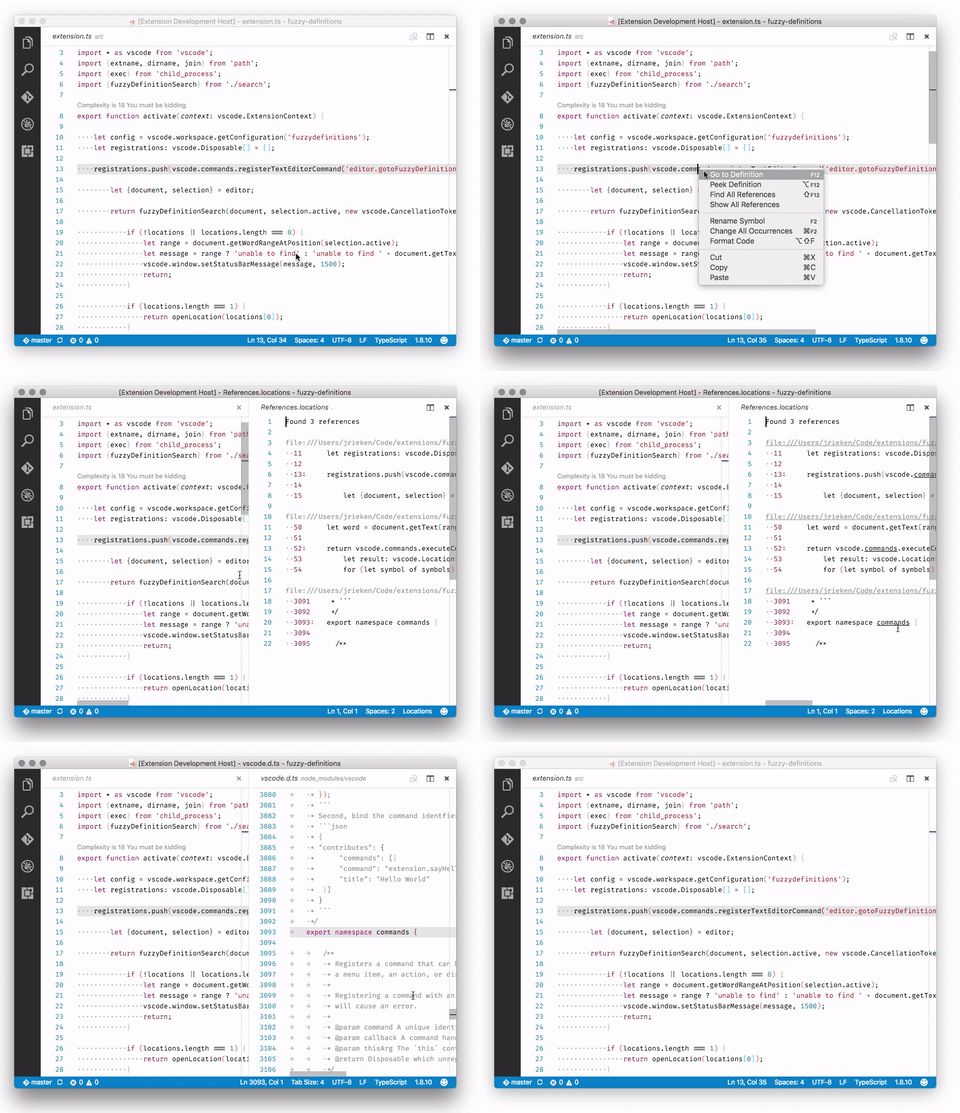
This is a sample extension that shows how an editor-based representation for the _Find References_ feature can be build.
It is not intended as a product quality extension.
2016-05-20 15:36:56 +02:00
2016-05-20 12:11:09 +02:00
- Select a symbol
2016-05-20 16:51:24 +02:00
- Select `F1 > Show All References`
2016-05-20 12:11:09 +02:00
- An editor opens to the side and show the references in a textual form
2021-02-22 09:58:22 -08:00
2016-05-20 12:11:09 +02:00
2016-07-29 11:26:42 +02:00
# How it works, what it shows?
2016-05-20 12:11:09 +02:00
2018-12-16 21:08:20 -08:00
- The extension implements and registers a [`TextDocumentContentProvider` ](https://code.visualstudio.com/api/references/vscode-api#TextDocumentContentProvider ) for a particular URI scheme.
- The content provider uses the [`vscode.executeReferenceProvider` ](https://code.visualstudio.com/api/references/commands )-API command to delegate searching for references to the language extensions, like TypeScript, vscode-go, or C#
2016-05-20 12:11:09 +02:00
- The generated document initially contains a caption only and incrementally updates as each reference location is resolved.
2016-07-29 12:38:47 +02:00
- Add links for each result in the virtual document pointing to the reference.
2016-07-29 11:26:42 +02:00
- Add an entry to editor context menu via `package.json`
2016-05-20 11:13:35 +02:00
2016-06-08 08:18:48 +02:00
# How to run locally
* `npm run compile` to start the compiler in watch mode
2021-02-22 09:58:22 -08:00
* open this folder in VS Code and press `F5`
